HP Thunderbolt 4 G6 Dock
⚡Get ready to supercharge your connectivity!
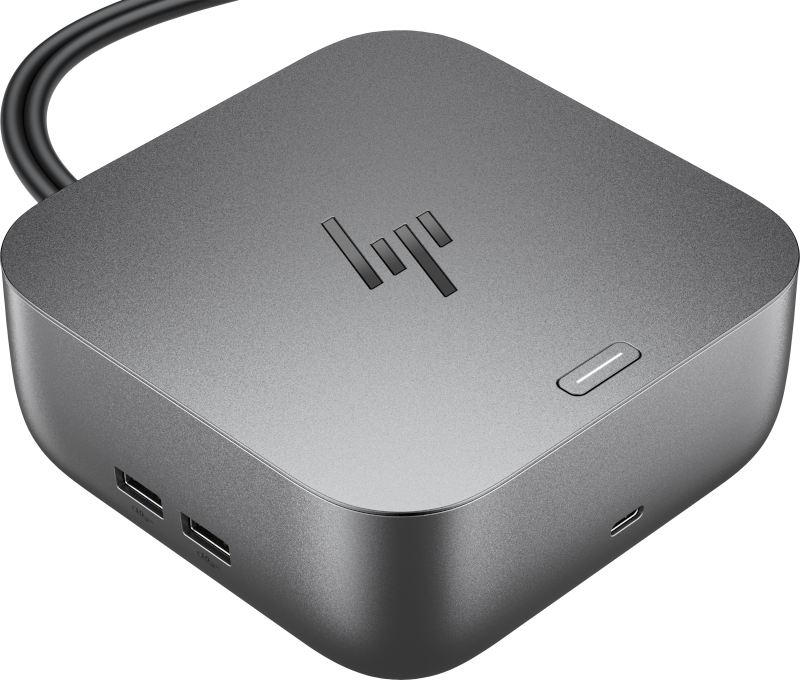
HP Thunderbolt 4 Ultra 280W G6 Review: Enterprise Management Gets a Major Upgrade
HP's Thunderbolt 4 Ultra 280W G6 isn't about more ports or higher power—it's about finally giving IT departments the management tools they need for distributed workforces. After years of treating docks as "set and forget" accessories, HP has transformed the G6 into a managed infrastructure component.
The Management Revolution
The biggest change from previous generations is enterprise-grade remote management. While G4 and earlier docks offered basic Wake-on-LAN, the G6 integrates Poly Lens cloud monitoring and HP CMSL for centralized control. IT can now push firmware updates, monitor device health, and troubleshoot connectivity issues without touching the hardware.
This addresses a real pain point. Previous HP docks required manual intervention for updates and offered limited visibility into performance issues. The G6's disconnected firmware update capability and real-time status monitoring represent a fundamental shift toward proactive management.
Network and Performance Upgrades
The G6 doubles network performance with 2.5 Gigabit Ethernet versus 1GbE in the G4. For organizations pushing large files or running bandwidth-intensive applications, this upgrade provides noticeable improvements in transfer speeds and reduces network bottlenecks.
RGB L ED indicators replace basic status lights, providing visual feedback for both users and IT staff about power, connectivity, and error states—a simple but effective improvement for troubleshooting.
Security Gets Serious
Enhanced security features include HP Wolf Security integration and Zero Trust Framework compliance—capabilities absent in earlier generations. The G6 also improves MAC address pass-through functionality across all power states, addressing enterprise network security requirements.
MacOS Support
HP Thunderbolt 4 G6 Docks support up to 2 independent Displays on MacOS Devices with Pro and Max Chipsets.
| Max Resolution | HP Thunderbolt Dock G6 |
| (1) 4k @ 60Hz | HDMI, DisplayPort, USB-C DP, Thunderbolt 4 |
| (2) 4k @ 60Hz | Thunderbolt 4 + |
G4 vs G6: What Changed
| Feature | G4 (2022) | G6 (2025) |
| Management | Basic | Enterprise (Poly Lens, HP CMS) |
| Ethernet | 1GbE | 2.5GbE |
| Security | Standard | Enhanced (Wolf Security, Zero Trust) |
| Firmware Updates | Manual | Remote/Disconnected |
| Status Indicators | Basic LED | RGB LED with multiple states |
Why HP Docks?
HP Docks transform workspaces. With a single cable, docking connects your notebook or mobile workstation to your display, network, and your accessories.
Expand Connectivity
Seamless Performance
Universal Compatibility
Streamlined Manageability
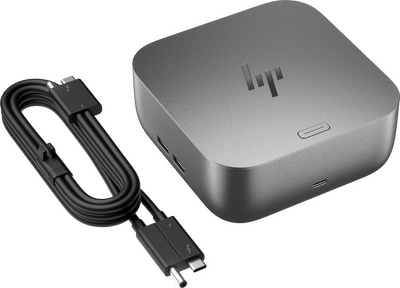
HP Thunderbolt 4 Ultra 280W G6
Get ready to supercharge your connectivity!
The latest HP Thunderbolt Dock lineup is here - bringing powerful performance, cutting-edge design, and future-ready features to modern workspaces.
HP Thunderbolt Docking Options
Various Power Delivery
Choose between 100W, 180W and 280W.
HP Thunderbolt 4 Ultra 280W G6
Get ready to supercharge your connectivity!
The latest HP Thunderbolt Dock lineup is here - bringing powerful performance, cutting-edge design, and future-ready features to modern workspaces.

HP Thunderbolt 4 Ultra 180W G6
Get ready to supercharge your connectivity!
The latest HP Thunderbolt Dock lineup is here - bringing powerful performance, cutting-edge design, and future-ready features to modern workspaces.
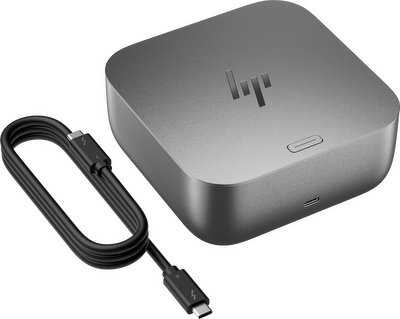
HP Thunderbolt 4 Ultra 100W G6
Get ready to supercharge your connectivity!
The latest HP Thunderbolt Dock lineup is here - bringing powerful performance, cutting-edge design, and future-ready features to modern workspaces.
The Management Revolution
At HP, we understand that efficient device management is paramount for modern IT environments. The HP Thunderbolt Dock G6 marks a significant evolution in this regard, ushering in a new era of enterprise-grade remote management. While previous generations, such as the G4 and earlier docks, offered foundational capabilities like basic Wake-on-LAN, the G6 seamlessly integrates with Poly Lens cloud monitoring and HP Client Management Script Library (CMSL) for unparalleled centralized control.
This powerful integration empowers IT administrators to push critical firmware updates, proactively monitor device health, and efficiently troubleshoot connectivity issues across their entire deployment—all without the necessity of physical interaction with the hardware. This capability directly addresses a long-standing pain point within IT operations.
The G6's innovative disconnected firmware update capability and real-time status monitoring represent a fundamental shift towards a proactive management paradigm. This ensures that your docking infrastructure remains secure, optimized, and operational with minimal effort. To illustrate the profound impact of these advancements, we invite you to watch our detailed guide on leveraging Poly Lens for comprehensive HP docking station firmware management.
Designed for Longevity: The HP Thunderbolt Dock G4 Repairability
At HP, we prioritize not only performance but also the longevity and sustainability of our products. The HP Thunderbolt Dock G4 exemplifies this commitment through its exceptional repairability and intelligent modular design. This approach allows for straightforward disassembly and easy replacement of key components, significantly extending the product's lifespan and reducing electronic waste.
Our design philosophy ensures that maintaining and upgrading your docking station is a seamless process, reinforcing our dedication to sustainable technology solutions. Discover the ease of maintenance and the thoughtful engineering behind the HP Thunderbolt Dock G4 in our detailed video.
Conclusion
The G6 succeeds by addressing operational challenges rather than adding connectivity features. For organizations managing multiple docks, the enhanced management capabilities and network improvements justify the upgrade. Small deployments may not need these enterprise features, but larger environments will find the operational benefits transformative.
HP has recognized that modern docking stations need professional-grade management tools. The G6 delivers exactly that.
Bottom Line: A management-focused evolution that transforms docks from user accessories into managed infrastructure components.